





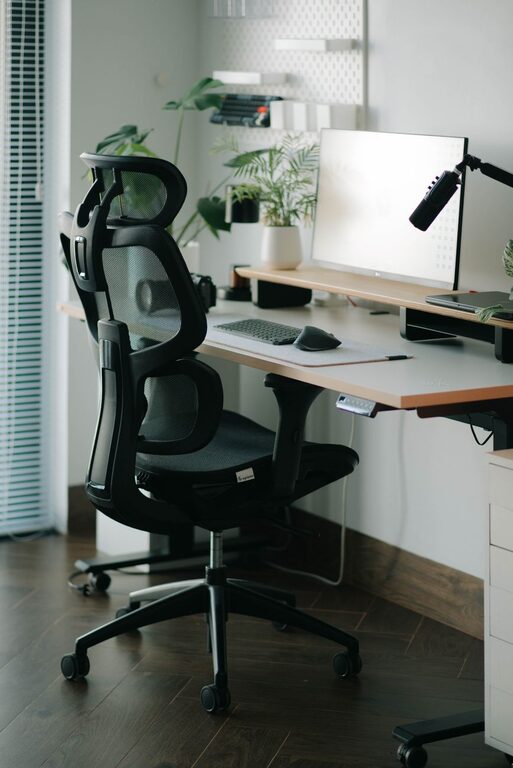
Creating a desk setup that promotes both focus and comfort can make a significant difference in your productivity and well-being, especially if you spend long hours working at a computer. Whether you work from home or in an office, a well-organized and ergonomic workspace can reduce physical strain and help you maintain concentration throughout the day.
In this post, we’ll cover practical tips to optimize your desk setup for maximum comfort and focus. These tips are easy to apply and don’t require expensive equipment—just thoughtful adjustments and smart organization.
1. Choose the Right Desk and Chair
Desk Height and Surface
Your desk should be at a height that allows your elbows to rest at about a 90-degree angle when typing or writing. This typically means a desk surface height of 28 to 30 inches, but it can vary depending on your stature. If your desk is too high or too low, you risk straining your shoulders or wrists.
Consider a desk with enough surface area to hold your computer, accessories, and space for writing or other tasks without feeling cramped.
Ergonomic Chair
A comfortable, adjustable chair is key to maintaining good posture. Look for a chair with:
– Height adjustment to keep your feet flat on the floor
– Lumbar support to maintain the natural curve of your lower back
– Comfortable cushioning to avoid pressure points
– Adjustable armrests to support your arms without raising your shoulders
2. Position Your Monitor Correctly
Eye Level and Distance
Your monitor should be placed directly in front of you, about an arm’s length away. The top of the screen should be at or slightly below your eye level. This allows your neck to stay in a neutral position rather than bending forward or backward.
If you use multiple monitors, keep your primary one aligned directly in front of you, and position secondary screens to the side.
Reduce Glare and Eye Strain
Position your desk and monitor to minimize glare from windows or overhead lighting. Use blinds or curtains if necessary. Consider adjusting your screen’s brightness and contrast to comfortable levels and use blue light filters or glasses if you’re sensitive to screen light.
3. Optimize Keyboard and Mouse Placement
Your keyboard should be placed so that your forearms are parallel to the floor or angled slightly downward. Keep your wrists straight while typing to avoid strain. A keyboard tray can help achieve the right height.
Place your mouse close to your keyboard, so you don’t have to reach far. Consider ergonomic mouse designs that fit your hand comfortably and encourage a natural wrist position.
4. Organize Your Desk for Efficiency
Declutter Regularly
A tidy desk minimizes distractions and helps you focus. Keep only essential items on your desktop, like your computer, phone, a notepad, and pens.
Use Storage Solutions
Incorporate desk organizers, drawers, or shelves to store documents, chargers, and other supplies. This keeps your workspace neat and frees up room for your work.
Manage Cables
Use cable clips, ties, or a cable management box to keep wires organized and prevent tangles. This reduces clutter and the risk of accidental unplugging or tripping.
5. Add Comfort and Personal Touches
Lighting
Good lighting is crucial. Natural light is best when possible, but adjustable desk lamps with soft, warm light can help reduce eye strain during evening work hours.
Ergonomic Accessories
Consider using a footrest if your feet don’t comfortably reach the floor. A wrist rest can also provide support during long typing sessions.
Personal Elements
Adding a plant, a photo, or a small decoration can make your workspace more inviting and reduce stress. Just keep these items minimal to avoid clutter.
6. Incorporate Movement and Breaks
Even the best desk setup can’t replace the benefits of taking regular breaks. Stand up, stretch, or walk around every 30–60 minutes to reduce fatigue and improve circulation.
If your workspace allows, consider a sit-stand desk or a converter that lets you alternate between sitting and standing throughout the day.
7. Keep Air Quality and Temperature in Mind
A comfortable temperature and fresh air help maintain alertness. If possible, work near a window that opens for fresh air or use an air purifier. Avoid excessive heat or cold, which can distract or cause discomfort.
—
Final Thoughts
Improving your desk setup for focus and comfort is an investment in your productivity and health. By adjusting your furniture, organizing thoughtfully, and paying attention to ergonomics, you can create a workspace that supports your best work.
Remember, small changes can have a big impact. Start by implementing a few of these tips, and gradually refine your setup to match your needs and preferences. A comfortable, focused workspace is within reach!




More Stories