





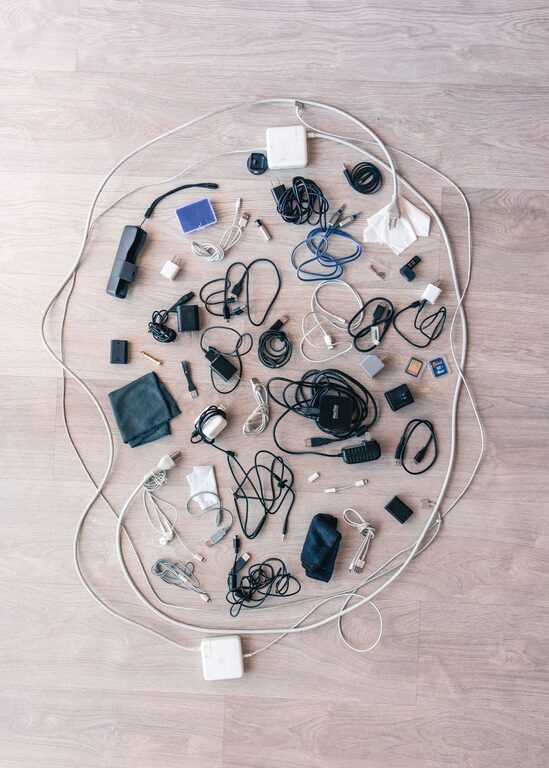
Keeping cables and chargers organized is a challenge many of us face. From tangled cords behind desks to piles of different chargers, clutter can quickly build up. Fortunately, with a few practical strategies, you can neatly arrange your tech essentials and create a more functional, stress-free environment.
Why Organizing Cables Matters
Organizing cables and chargers isn’t just about aesthetics. It helps prevent damage to cords, saves time when you need a device charged, and reduces the risk of tripping over loose wires. Plus, a tidy space often feels more relaxing and productive.
Assess Your Cable and Charger Collection
Start by gathering all your cables and chargers in one place. This gives you a clear idea of what you have and what you actually use. Consider discarding old, broken, or duplicate cables to lessen clutter.
Sort by Type and Usage
Group your cables by device type: USB cables, phone chargers, laptop chargers, HDMI cables, and so on. You can also separate frequently used cables from those rarely needed, making daily tasks easier.
Effective Cable Organizing Solutions
There are many ways to keep cords under control. Here are some popular, easy-to-implement methods:
1. Use Cable Ties and Velcro Straps
Cable ties are inexpensive and highly effective for bundling cords. Velcro straps have the advantage of being reusable and adjustable, perfect for cables you use often.
– Wrap cables individually using ties or straps.
– Label each cable for quick identification.
– Group related cables together using additional ties.
2. Employ Cable Management Boxes and Sleeves
Cable boxes help conceal power strips and extra cable length, creating a clean look on desks or floors. Cable sleeves gather multiple wires into a single, neat tube.
– Place power strips inside cable boxes to hide excess cables.
– Use sleeves to bundle cables running in the same direction.
– Choose sleeves in neutral colors to blend with your decor.
3. Utilize Drawer Dividers and Small Containers
Drawers are great for storing spare chargers and cables. Keep them organized using dividers or small containers to prevent a jumbled mess.
– Assign each compartment to specific cables or chargers.
– Store rarely used items separately to avoid everyday clutter.
– Consider labeled pouches for travel cables.
4. Mount Cable Organizers Near Charging Stations
For cables you use daily, set up organizers close to charging areas.
– Use adhesive cable clips to keep cables in place on desks or walls.
– Install charging stations with built-in cable management.
– Utilize hooks or pegboards to hang cables neatly.
Tips for Maintaining Cable Organization
Organization works best when maintained regularly. Here are tips to keep your cables tidy over time:
– Regular Checkups: Periodically review your cables and remove any no longer needed.
– Label New Cables: Use small tags or colored tape to identify cables as you bring them home.
– Charge Smartly: Return cables to their designated spots after use.
– Minimize Cable Length: Use cables that are just long enough, or coil excess length to reduce tangles.
Bonus: Eco-Friendly Practices
Consider donating or recycling unwanted cables instead of throwing them away. Many electronics stores and recycling centers accept old cords.
Conclusion
With a bit of effort and the right tools, organizing cables and chargers can be simple and rewarding. Not only will you improve your space’s appearance, but you’ll also make your daily routines smoother. Start with a single drawer or charging area, and gradually build habits that keep your tech tidy and accessible. Happy organizing!




More Stories